Reach Enterprise Dashboard Overview
The Reach Enterprise Dashboard is designed to make managing large-scale team usage and licensing simple, transparent, and efficient. With one centralized, billable account, organizations can seamlessly oversee all end-user activity and license distribution.
Centralized Account with Multiple Admins
Enterprise accounts are tied to a single billable account, but multiple admins can be added to help manage licenses. This ensures flexibility in administration, allowing different team members to share the responsibility of assigning, revoking, or monitoring license usage.
License Management
Licenses are provided as seat licenses, meaning they can be reassigned.
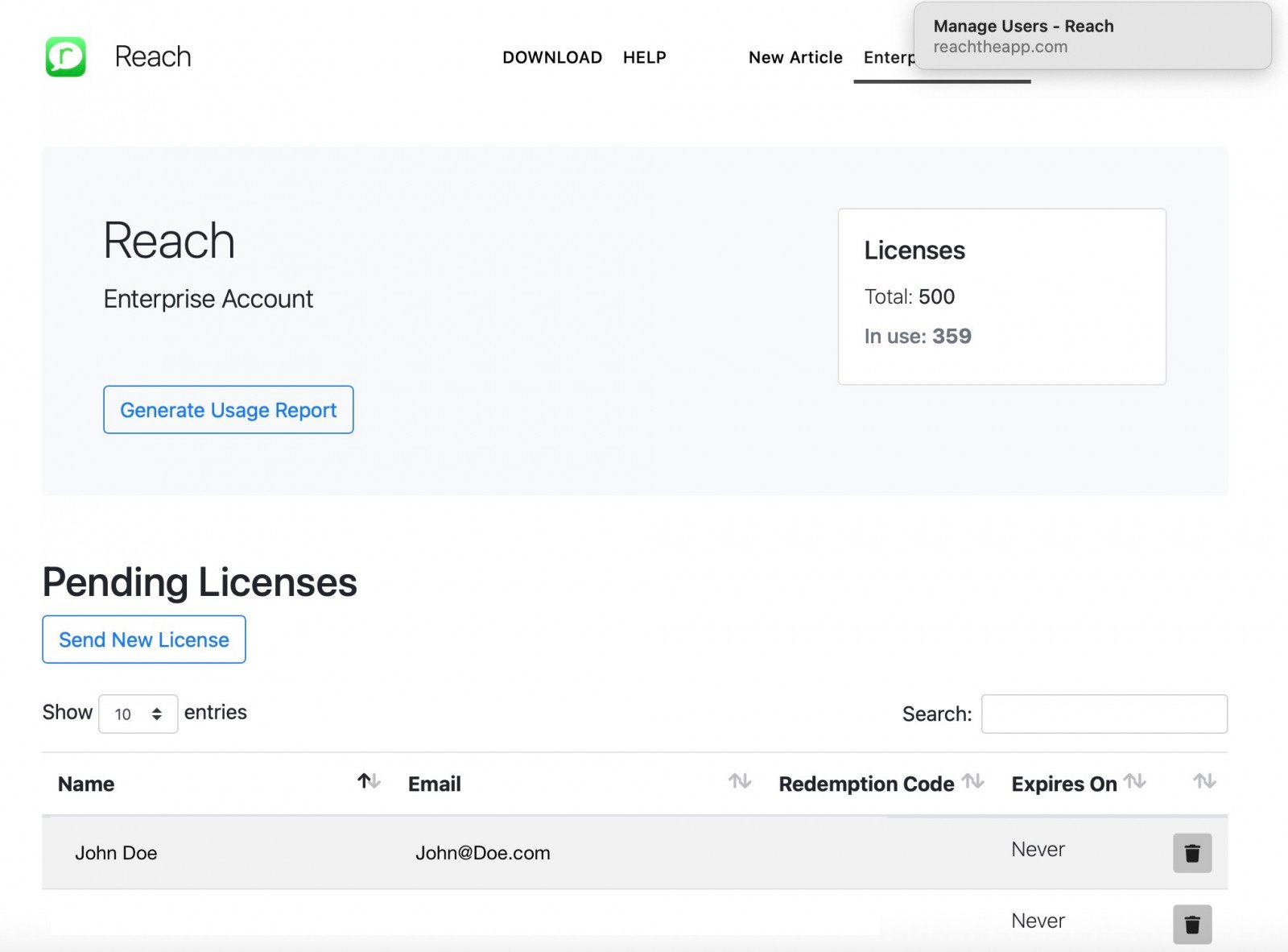
The process is straightforward:
- Admins can assign a license by tapping “Send New License”, entering the end-user’s name and email.
- The end-user then receives an email containing their activation link.
- If a license is no longer needed, admins can revoke it. The revoked license is instantly freed up and can be reassigned to another user.
This dynamic allocation system makes it easy to maximize license usage across a shifting workforce. More details can be found in Reach Enterprise License Management.
Usage Reporting
The dashboard also provides powerful usage reporting tools. Admins can generate reports for custom date ranges or preset windows (e.g., last 30 days, last quarter).
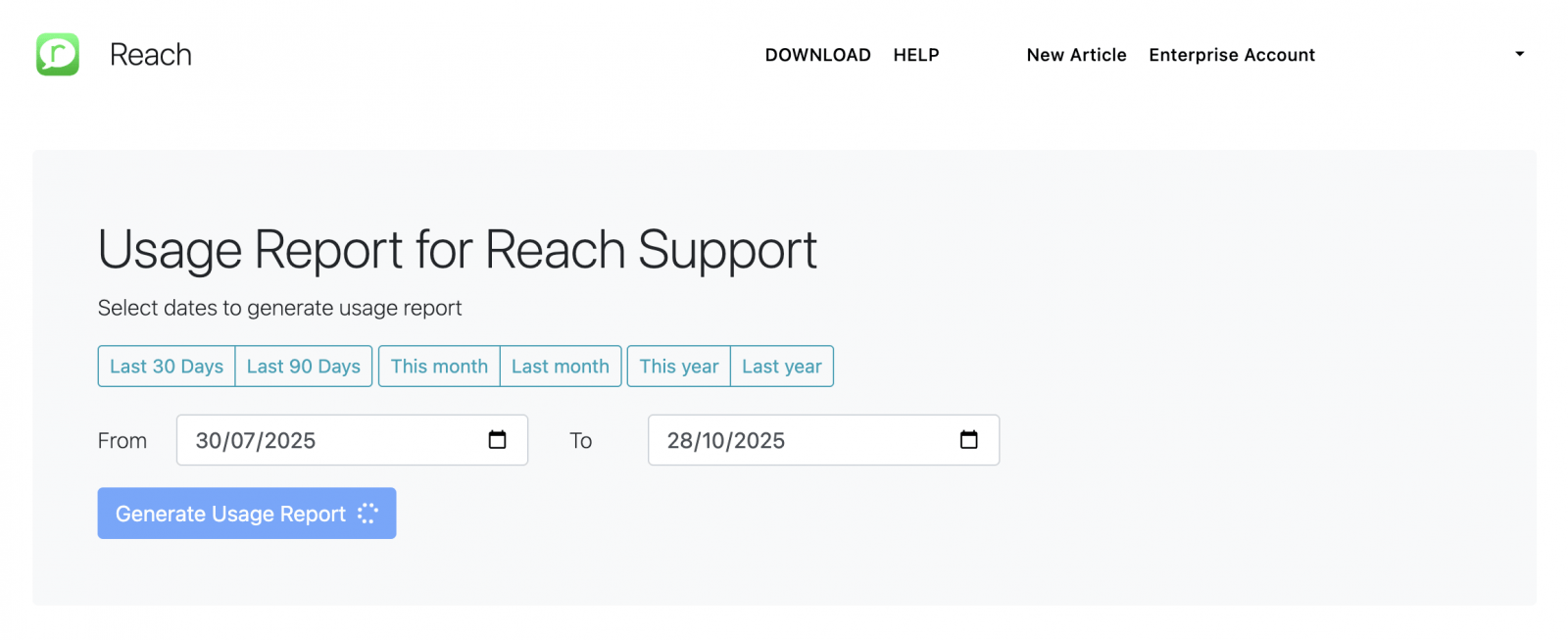
Reports show key insights such as:
- Number of messages sent by each user
- Activity levels across teams within specific timeframes
This helps enterprises monitor engagement, spot trends, and make informed decisions on scaling usage. More details about this feature can be found in Reach Enterprise Usage Reporting.
Key Benefits
- Centralized billing with multiple admin support
- Simple license distribution with activation codes
- Flexible reassignment of seat licenses
- Detailed usage reporting to track adoption and activity