Reach Enterprise License Management
The Reach Enterprise Dashboard offers a streamlined seat-license management system that is designed to simplify how administrators assign, activate, and reassign licenses across a dynamic workforce.
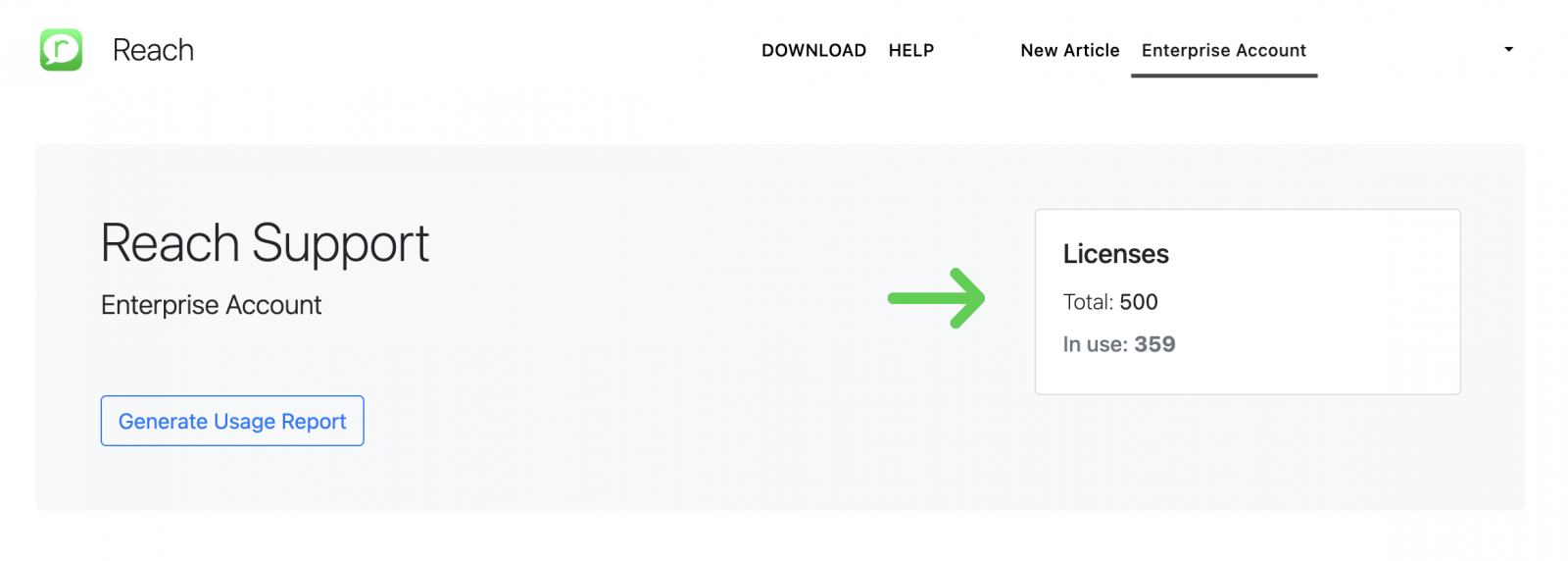
In your Dashboard, you can view information about your organization’s licenses - including the total number of licenses you own and how many of them are currently in use.
Assigning a New License
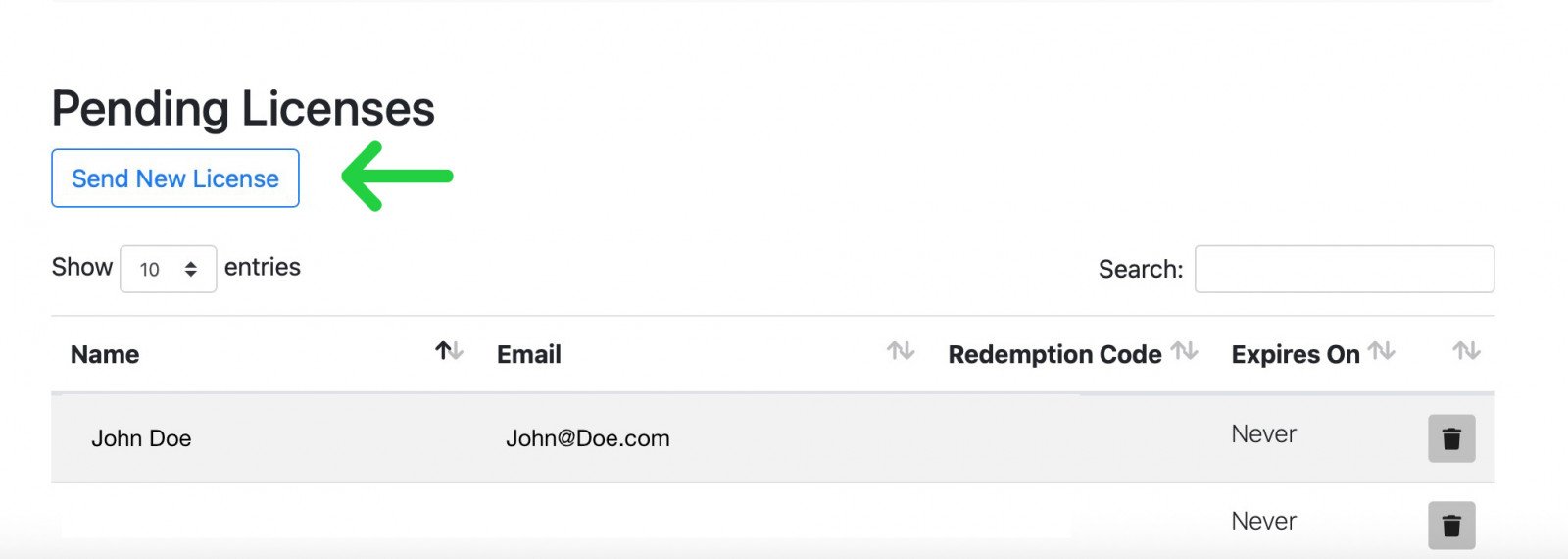
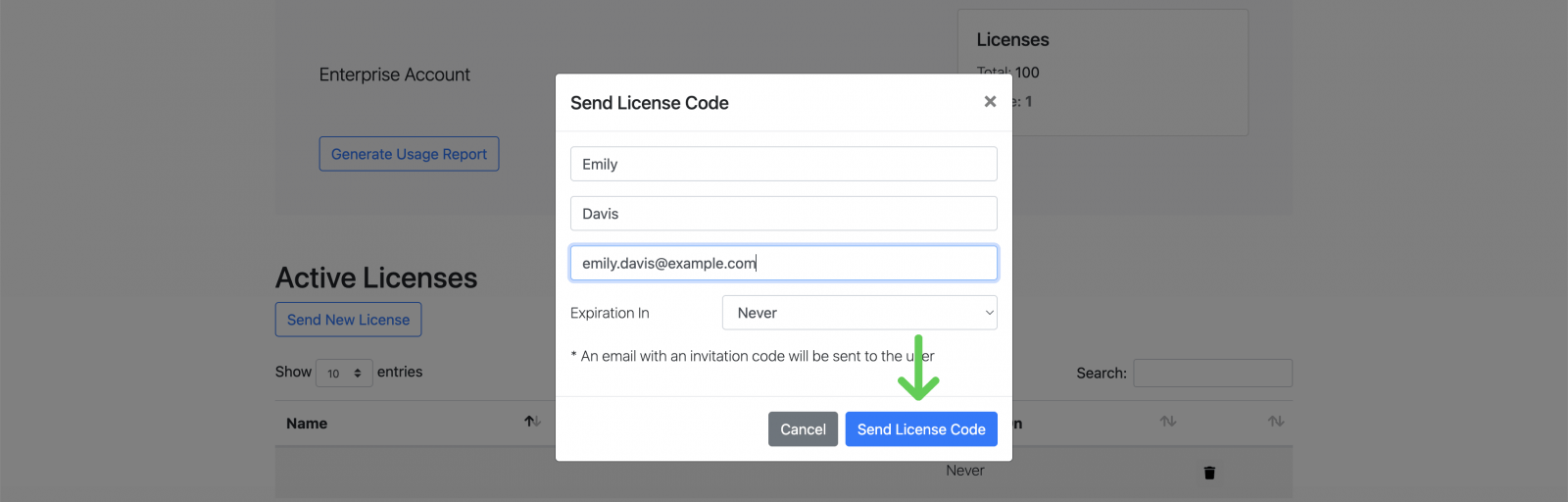
1. In the Dashboard, click the “Send New License” button.
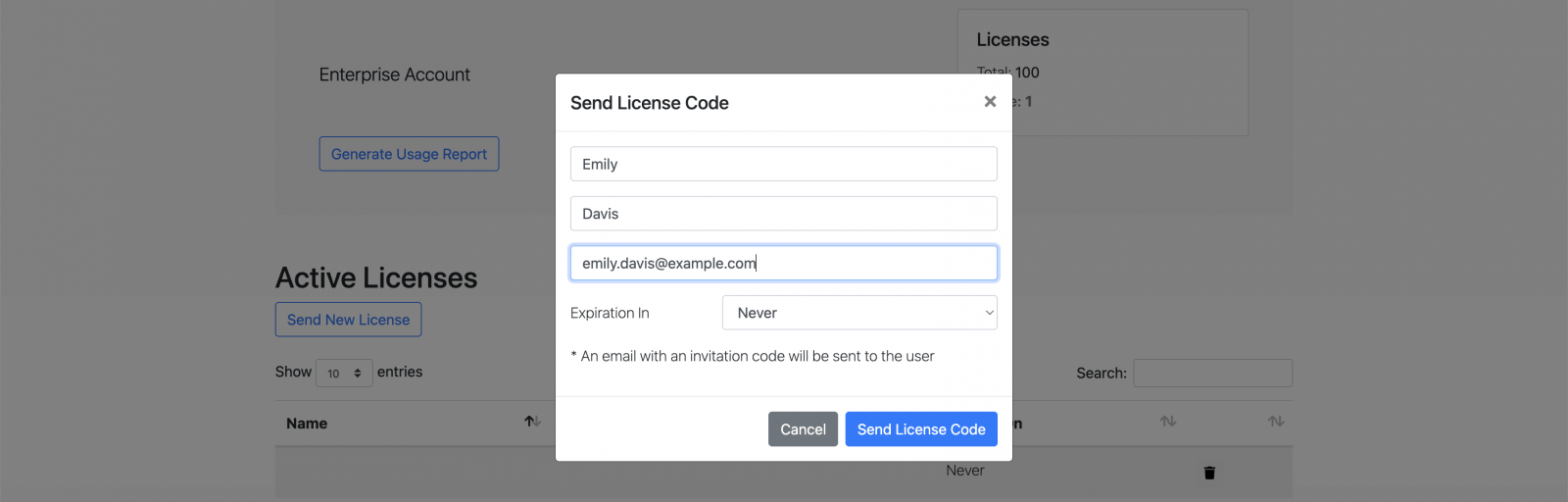
2. In the pop-up window that appears, enter the end user’s first name, last name, and email address.
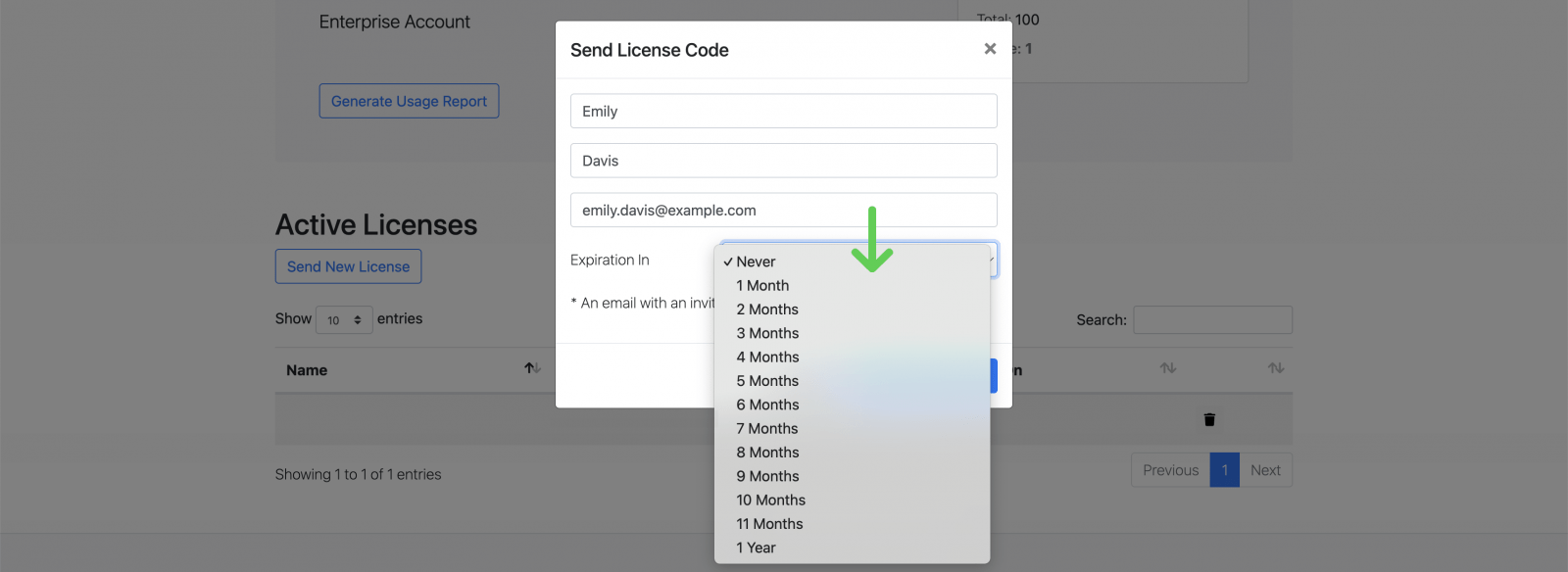
3. Choose the desired license duration from the dropdown list.
4. Click “Send License Code” to issue the license.
5. The end user will receive an email containing a license-activation link.
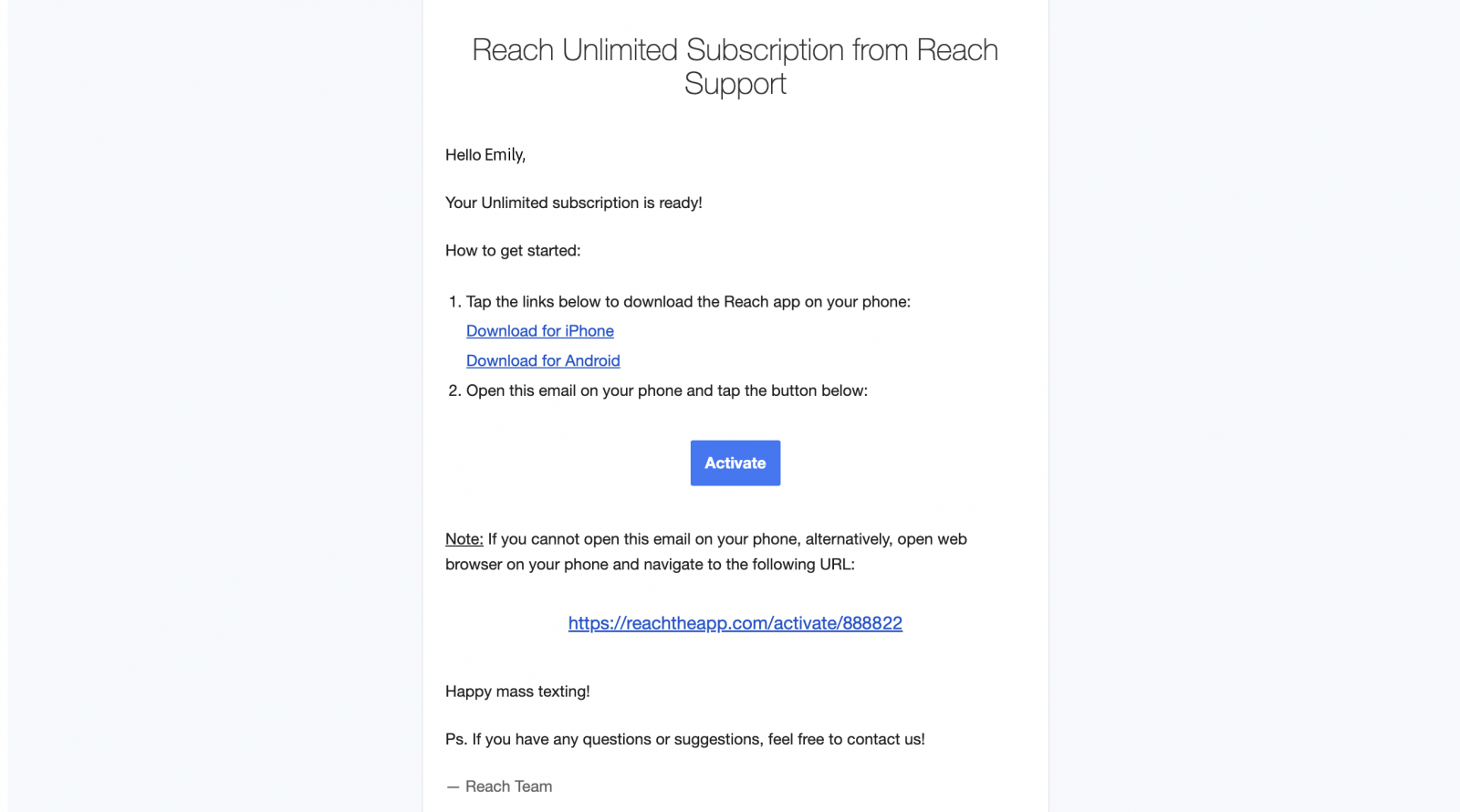
6. When the user taps the activation link on their mobile device, the Reach app launches automatically and the license is instantly activated.
Reassigning or Revoking Licenses
If a license is no longer needed, administrator can revoke it. The revoked license is instantly freed up and can be reassigned to another user.
To revoke an existing license, locate it in the license list within the dashboard. Then, click the trash icon in the right-hand column.
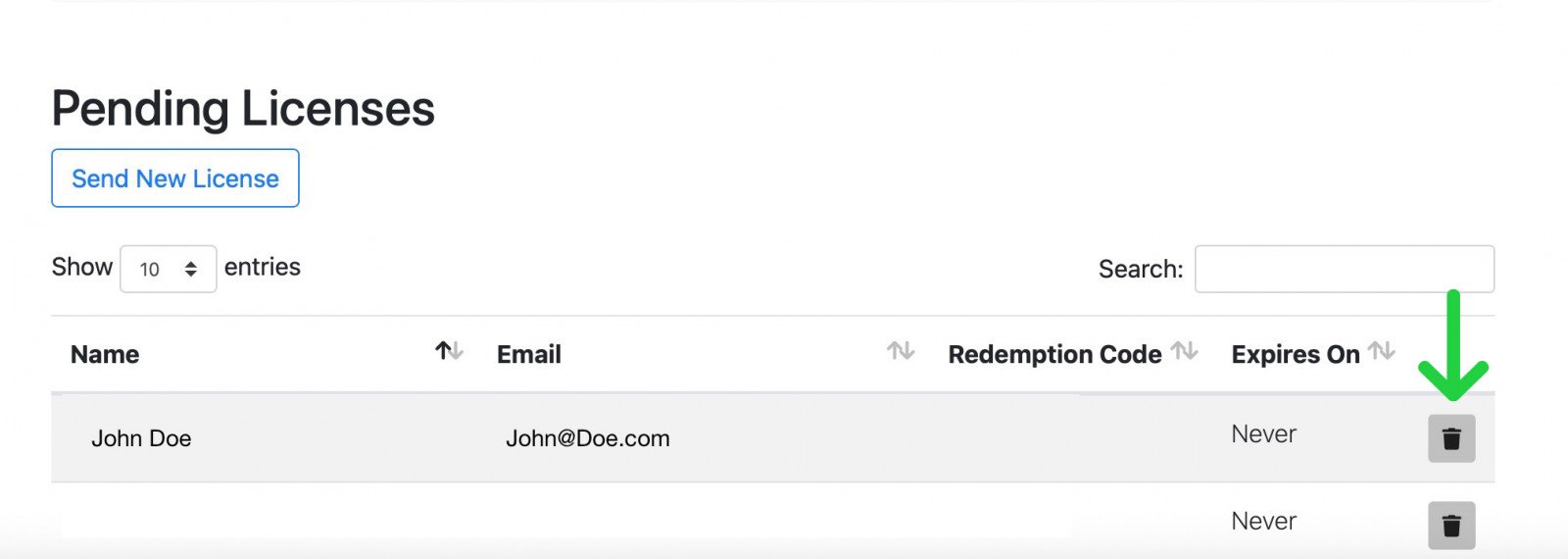
The license will be immediately revoked and can be reassigned to another user if needed.